Identifying Gigabit ethernet!
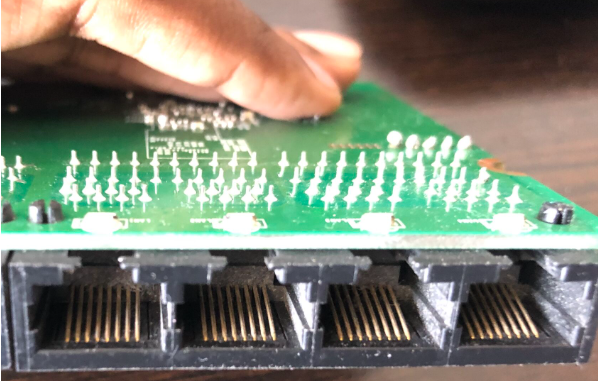
Ever wonder if your router is gigabit-capable or not? There is a quick and easy way to find out. If you flip over your router and check its LAN ports, you’ll see that there are metallic contacts inside them.
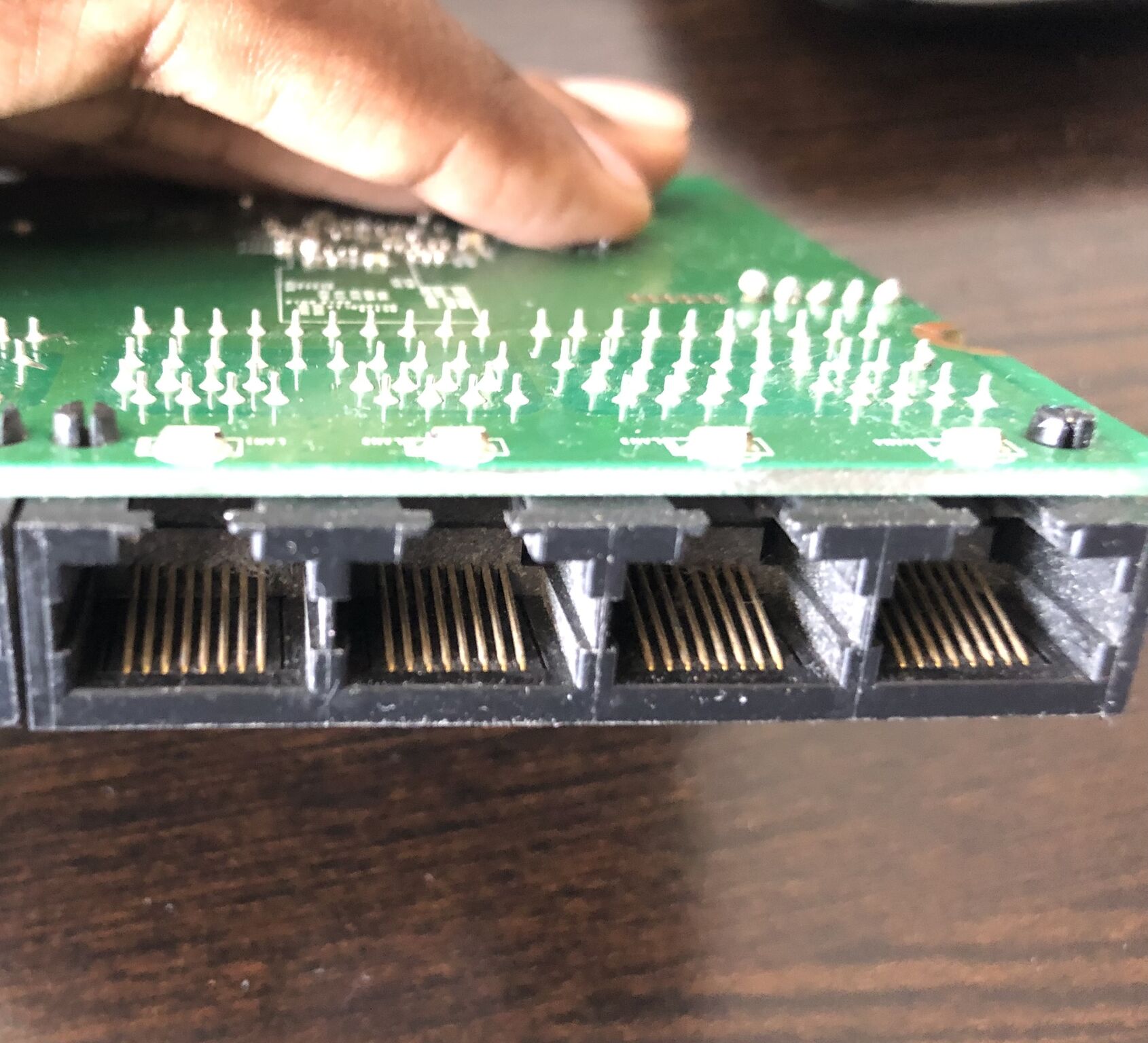
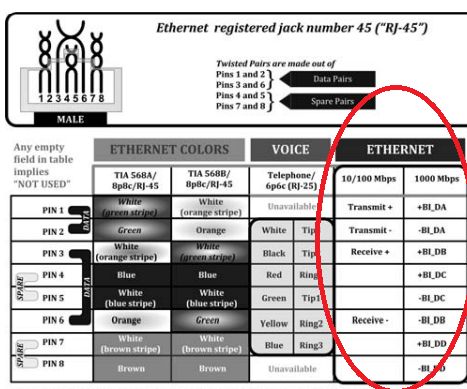
A 100Mbps capable router uses only four of the eight available slots — the two differential transmit and receive pairs (Tx+, Tx-, Rx+, Rx-). The following image shows a 1Gbps capable router where all eight slots have metallic contacts. Image 3 shows the pinout of a RJ45 connector and you can see how the eight pins are used in a 100Mbps and a 1Gbps connection.
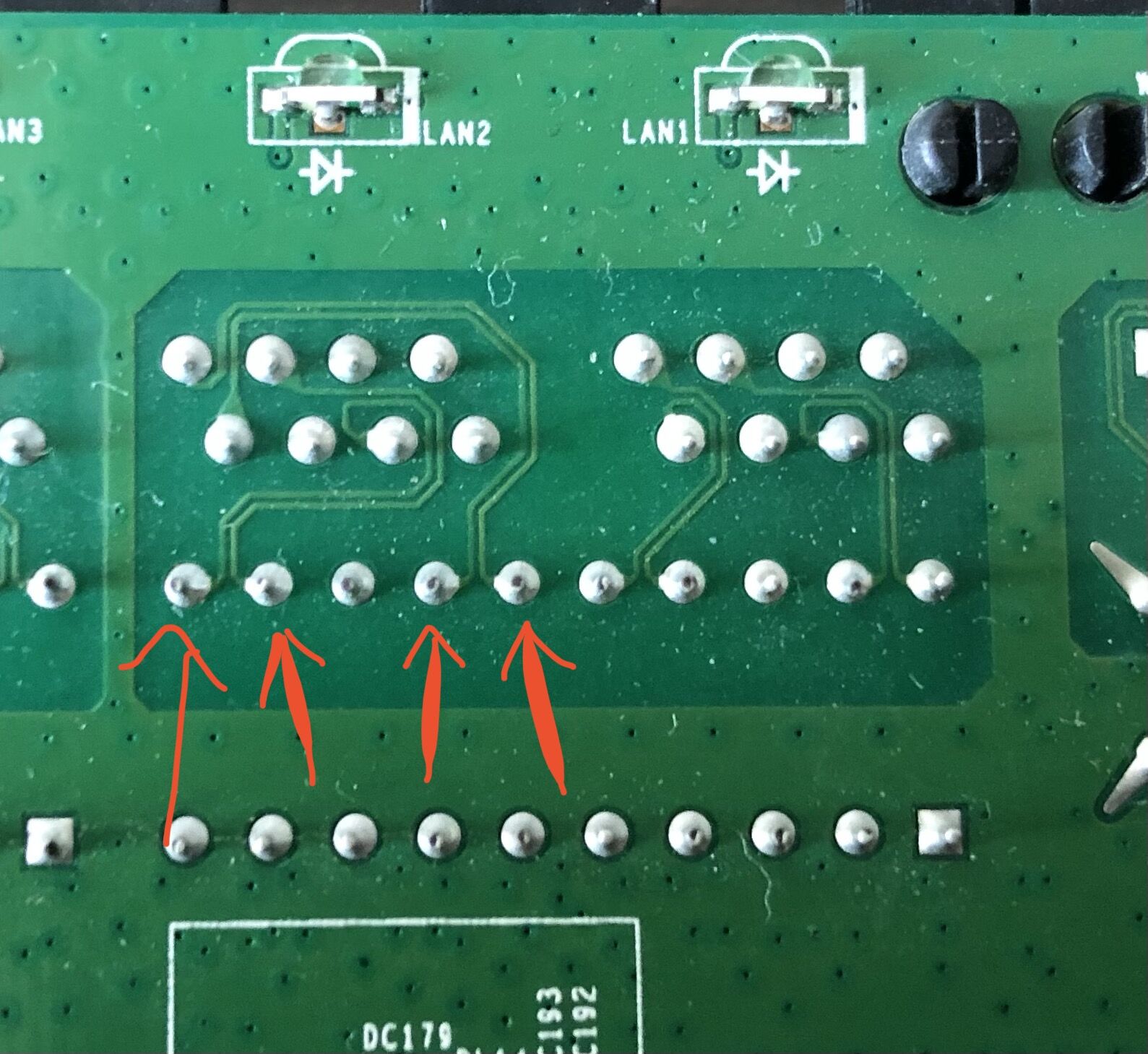
Another method to find out the same is by looking at the underside of the PCB. Be aware that if you open the casing, the manufacturer will not honor the device warranty. As you can see in image below, there are only four traces (shown by the arrows) going from the LAN connector to the processor.
This method of looking at the metal contacts might not always be accurate. Sometimes, LAN connectors with eight metal contacts are used in a 100Mbps router. However, if you can see that only four metal contacts are present, you can be sure that it is a 100Mbps capable router.